From issue to resolution — in 3 steps.
With or without a document: start with upload, a structured legal question or a letter — everything stays in one matter.
No credit card · 10 credits free · Cancel anytime
The flow
Cited sources, calculated instead of guessed deadlines, and for complicated cases the way to a real law firm — in a single account.
1. Start your issue
Upload a document (even anonymously), ask a legal question without a file, or pick a letter/assistant.

You upload a document or describe your case.
2. Get structured output
Analysis, legal question result or draft — with deadlines, risks and next steps.
I analyze it and show you deadlines, risks and options.
3. If needed: consult a lawyer
Your findings and documents are ready in order — you export them and pass them on to a firm of your choice.
You decide: act yourself, generate a letter, or bring in a lawyer.
After the assessment
All the way to the result, not just to an assessment
Most tools stop once the analysis is done. Here every step up to the sent letter and up to the notice deadline is built in.
Letter
A letter — from template to reply
- Pick a template. The assistant asks exactly the questions this letter needs.
- Review the draft: recipient, address, enclosures and wording side by side.
- Download it as PDF or Word and send it your way.
- “Mark as sent” — and the related deadline moves into your deadline register in one click.
- When a reply arrives, upload it: it is analyzed and stays linked to the letter.
Contract
A contract — from the first question to the notice deadline
- Answer the assistant's questions. Out comes a finished contract as PDF and Word.
- Record the term: end date, notice period, automatic renewal.
- The notice date is calculated and added to your deadline register — using the same § 193 BGB rule as our public calculators.
- Reminders 7, 3 and 1 day ahead, as soon as you switch them on for that deadline.
- If the statute your contract rests on changes, we tell you — with no AI and no credits spent.
And when it does get too complicated, handing over to a lawyer is built in — together with everything you have already gathered here. That is the intended route, not an emergency exit.
The tools at a glance
Not everything is chat: each tool has a fixed place in the case — context stays intact.
Document & contract analysis
Notice, demand, contract or T&Cs: upload, then risks, deadlines and next steps — not just a summary.
Legal questions without a document
Describe your situation — structured assessment with norms, chances, risks and next steps.
Create & negotiate contracts
Generate your own contracts from templates — or review other parties' drafts and send back a redline counter-draft.
AI Legal Chat
After analysis or a legal question: follow-ups in the same context — including uploading files later.
Letters & writing assistant
Templates for demands, withdrawal, termination — or the writing assistant if you are unsure which letter fits.
Explore further
Also available in your case
Exports, retest, credits with preflight and lawyer handover — separate from the seven entry tools.
Document or legal question
Upload for notices and contracts — or legal questions when no file exists yet.
Chat in matter context
Follow-ups after analysis or legal question, including uploading files later.
Voice — talk to Lexi
Describe your issue out loud; transcript, summary and facts land in your case automatically.
Matter strategy & deadline check
Your matter becomes a strategy with next steps — detected deadlines can be verified individually.
Fact extraction in the matter
Parties, amounts, dates and contract details are collected in a structured, reviewable way.
Retest and re-analysis
Add new answers or documents without starting from scratch.
Exports for matters and teams
PDF, redline, clean DOCX and compliance ZIP — archived traceably.
Handover to lawyers
Structured prep and documents — you decide if and when.
Credits with preflight
Costs visible before you start — refund path on technical errors.
See Smart Legal Pro in action
Seven core features straight from the product — pick a tab to take control of the demo.
- 1 Contract type
- 2 Parties
- 3 Clauses
- 4 PDF preview
DIY vs. lawyer vs. Smart Legal Pro
We complement – not replace – qualified lawyers.
Smart Legal Pro
Legal questions, analysis, chat and letters in one case — EU hosting, credits and lawyer handover.
General AI chat
Quick for brainstorming and first questions — a case file, country-specific templates and a structured handover are typically not included.
Straight to a law firm
Binding and deep — right for high stakes, tight deadlines or criminal law.
Detailed comparison: legal AI, general AI chat and law firm →

Ready? Start your first issue.
Video and images
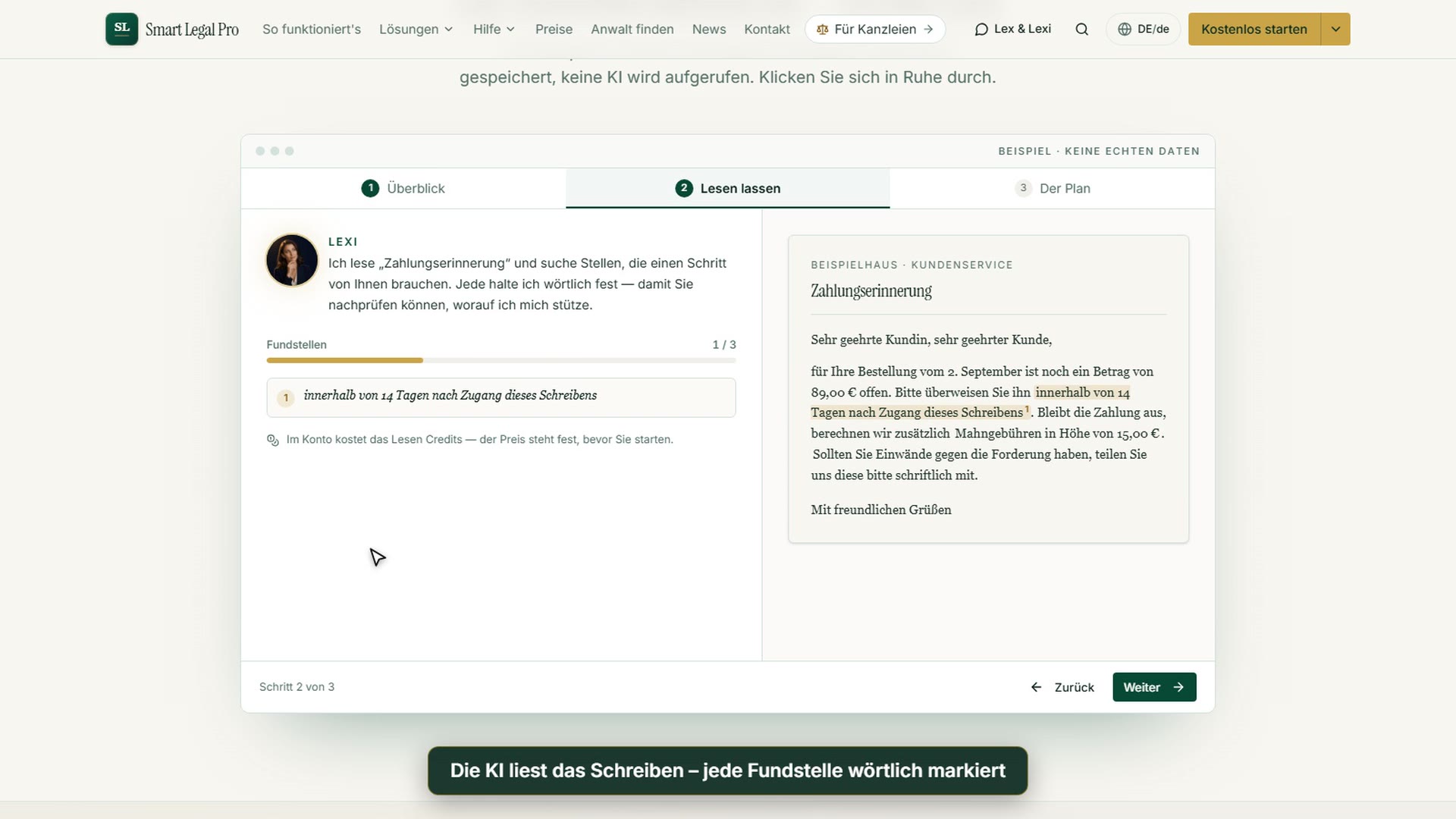 0:41For individualsA letter arrives – how the process companion helps
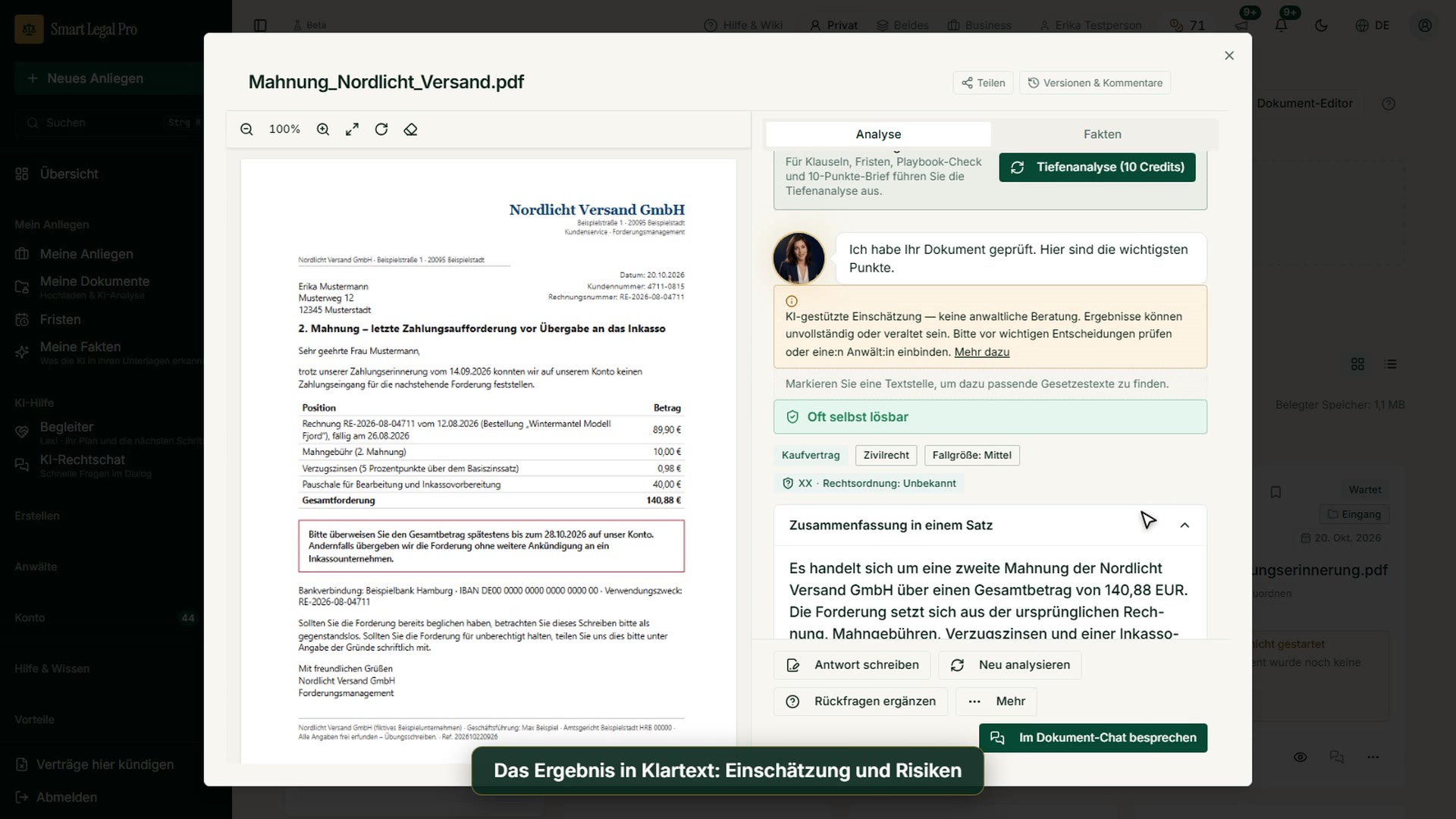 1:10For individualsGot a payment reminder? Upload the letter and understand it
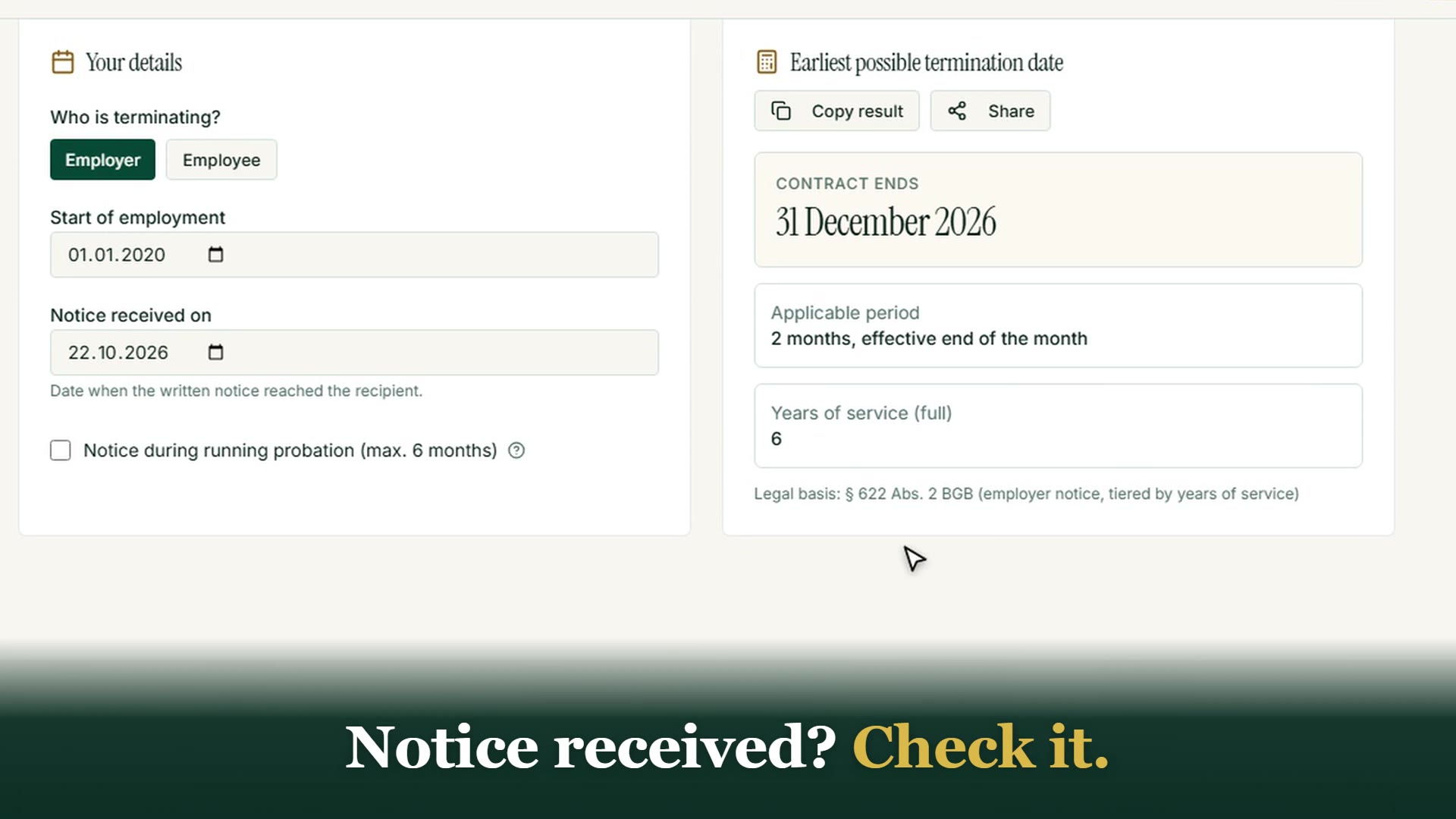 0:58For individualsNotice, contract or dispute: understand what to do next


More images: AI legal information →More images: Understanding proceedings →Videos →Screenshots →