Write with the AI — you keep the pen.
Canvas is your word processor with AI beside it: a page as in Word on which you write yourself. The AI helps at the selected spot or suggests changes – only what you accept is adopted. Afterwards you share the draft with your client, open it in Word or file it in the case.
Rough work in the assistant. Fine work in Canvas.
You handle the first draft and major restructuring by instruction in the assistant. For the fine work – changing a paragraph, replacing a word, writing it yourself – you open the same file in Canvas, without a detour via Word. From there you file it in the case, share it or pass it on.
- One click takes you from the assistant to the same file in Canvas – and back.
- After saving, you see in which case and which folder the document is filed.
- 1 · Assistant: draft and major restructuring
- 2 · Canvas: fine work by hand, AI at the spot
- 3 · Case, client, Word or PDF
A page as in Word, not a chat window
You write on a page in page format – with zoom, ruler, page overview, menu bar and right-click menu. The AI sits beside it: you select a passage and have it rephrased, shortened or made more precise. The document remains the truth, not the chat history.
- Page view with page breaks, zoom and page overview.
- AI help on the selected text – also via right-click.
- With case context, multilingual, jurisdiction-aware.
- I. Facts — structured by the AI
- II. Legal assessment — your selection answered
- III. Motion — wording suggested
Accept suggestions — or reject them
AI changes arrive as a redline: old text struck through, new text marked. You accept, reject or request an alternative — every decision lands in the decision log. In the document chat you describe a change in words; it, too, appears as a suggestion in the text.
- Accept, reject, alternative — per change.
- Every decision in the log, traceable at any time.
without undue delay within two weeks
The contractor is liable without limit. The contractor is liable in accordance with clause 8.
Structure it like a pleading
On request, Canvas numbers the headings – decimal or in the outline style used in legal writing. The table of contents and references to other parts of the document are updated before export; you tick off checklists in the document. In the Word export, numbering, table of contents and references remain Word features.
- Heading numbering: 1.1 or A. I. 1.
- Table of contents, references to headings and checklists.
- A. Facts · I. Conclusion of the contract
- B. Legal assessment · see A. I.
- ☑ Exhibits checked · ☐ Attach power of attorney
Every version traceable
The editor keeps every version. You compare two versions side by side, go back, open the document in Word or export the final version as DOCX or PDF – with AI labeling on request.
- Compare versions: added, deleted, changed.
- Open in Word or export as DOCX/PDF; AI labeling on request.
- v1 — AI first draft
- v2 — redline incorporated
- ›v3 — your final version
Your client comments in the portal
You release a draft to your client and decide what they may do: comment only, suggest changes or edit freely. They see the state of the document, the comments you have shared and the versions of each round. You review their remarks and adopt them – or return the draft for another round.
- Three levels of collaboration; internal comments stay within the firm.
- Each round has its own version – comparable for both sides.
- Round 2 · Comment only
- Comments: 3 open · 2 resolved
- Submitted – you review and adopt
Reviewed before it goes out
The review reads the whole document according to the profile you choose and states the expected usage in advance. The findings sit at their place in the text; you accept corrections one by one. For a new document, drafting by chat leads first to the outline and then, section by section, to the text – only what you confirm is adopted.
- Review profiles; the expected usage is shown before you start.
- Drafting by chat: first the outline, then the sections.
- Finding 1 · contradiction between A. I. and B. II.
- Finding 2 · placeholder [●] still open
- 2 corrections accepted · 1 rejected
Order a whole document – step by step
A dialog asks what should be created: name, type, tone, length, language and legal system, plus the case file, its summary, selected documents and facts. On request the AI asks follow-up questions, proposes an outline and writes the sections – one by one for your review or in a single run directly into your document. You see the expected cost beforehand.
- You can dictate notes and answers to follow-up questions by voice.
- Documents excluded from the AI stay excluded.
- Commercial lease · formal · approx. 20 pages
- Sources: case file, summary, selected documents
- Cost beforehand · section by section or everything in one run
Agents in this workflow
AI in the document: wording, rewriting, shortening and structuring – at the selected spot, with case context.
Redline review with anchored changes: accept, reject, alternative — plus a decision log.
Contract draft clause by clause by jurisdiction — editable and versioned in the same editor.
Control & safety
- No AI change is adopted without your acceptance.
- Every decision is documented in the decision log.
- Versioned states — reversible and comparable at any time.
- EU hosting, AI labeling on request, multilingual.

Let your case files think along.
The AI lawyer portal — EU-hosted, profession-compliant, client-separated. You keep control, the AI does the groundwork.
Video and images
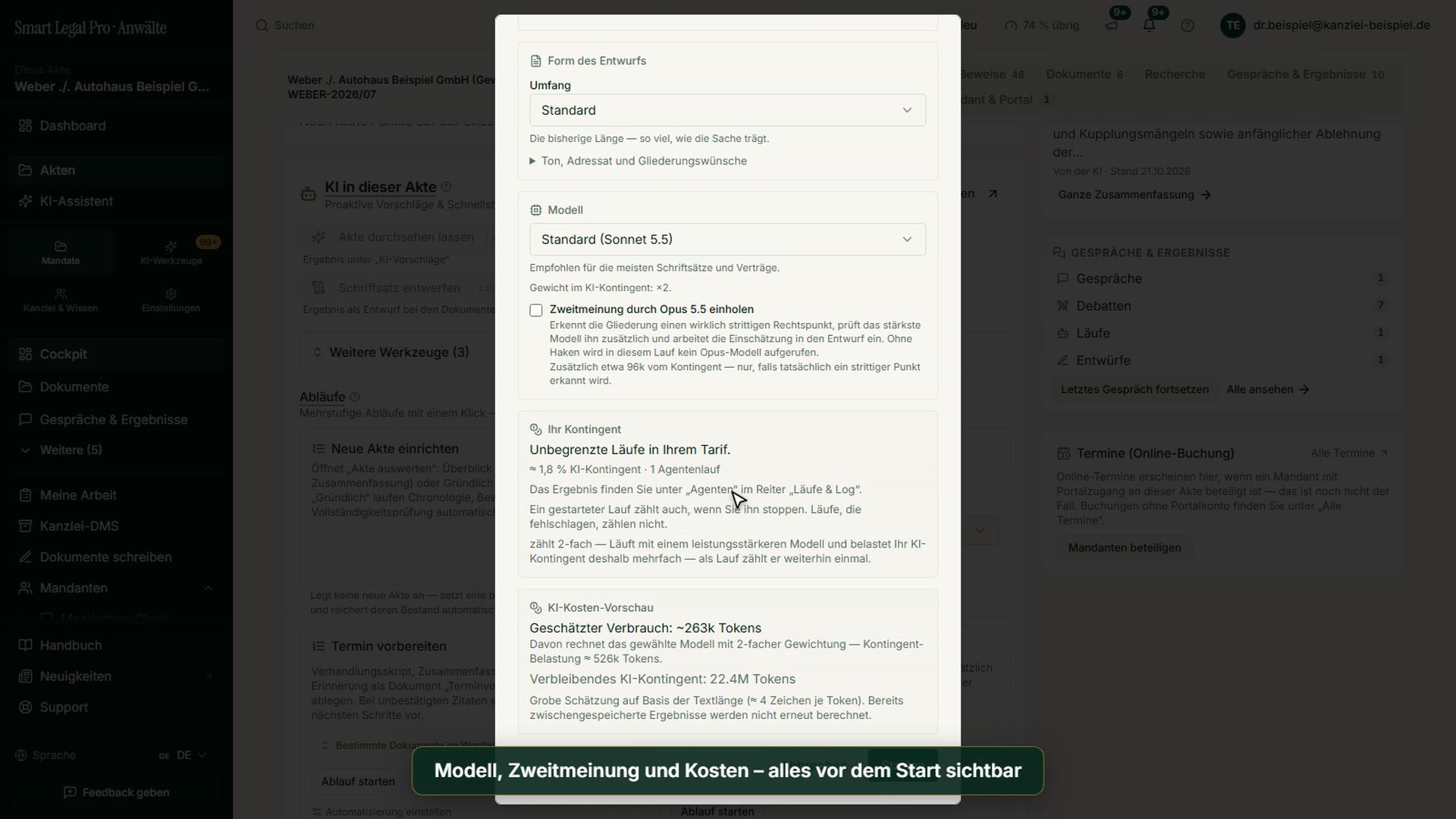 1:36For law firmsGenerate a Complaint and Pleading: From Draft to Finished Package
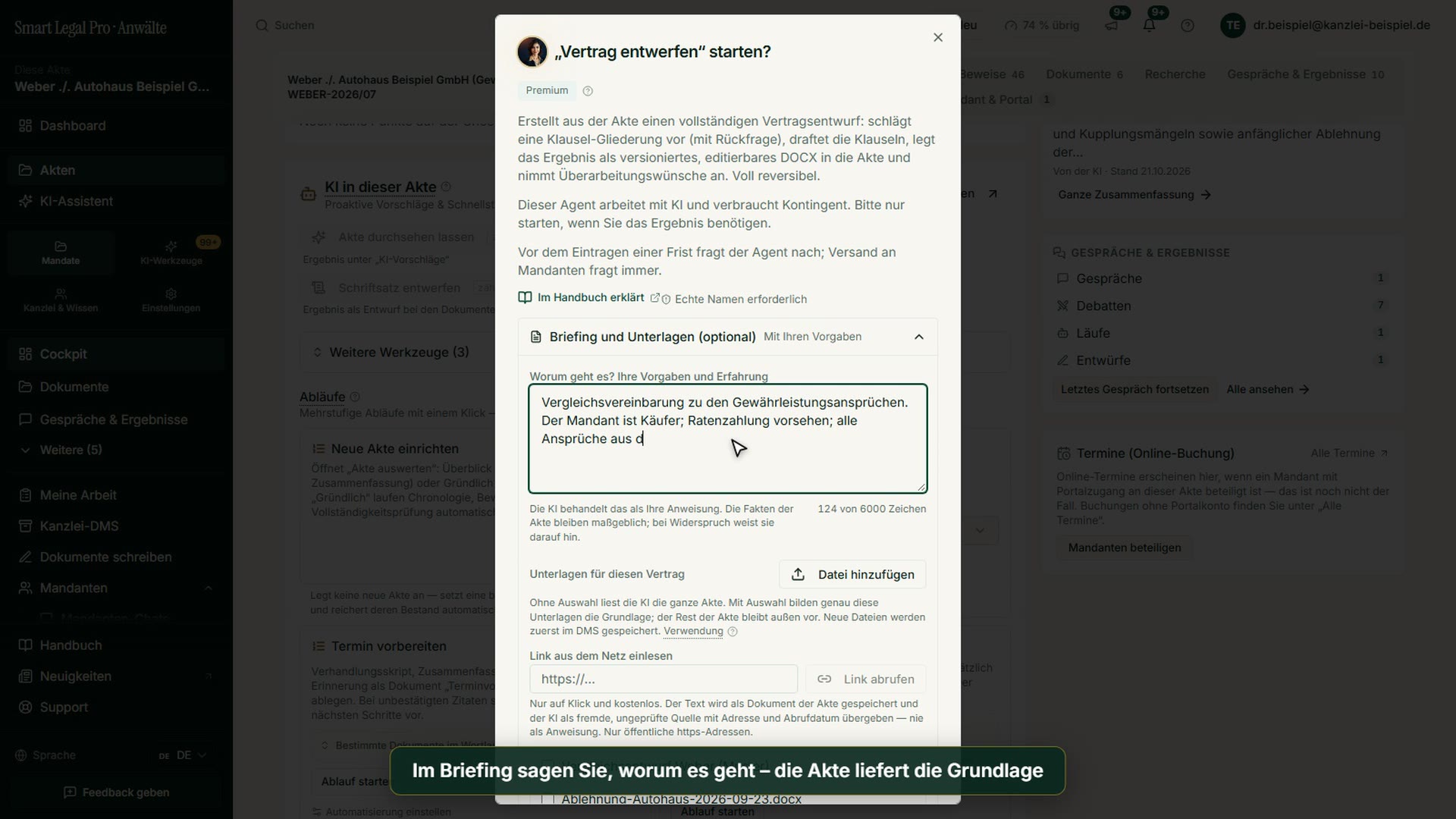 1:20For law firmsHow to Generate a Contract – Briefing, Interview, Cost Preview
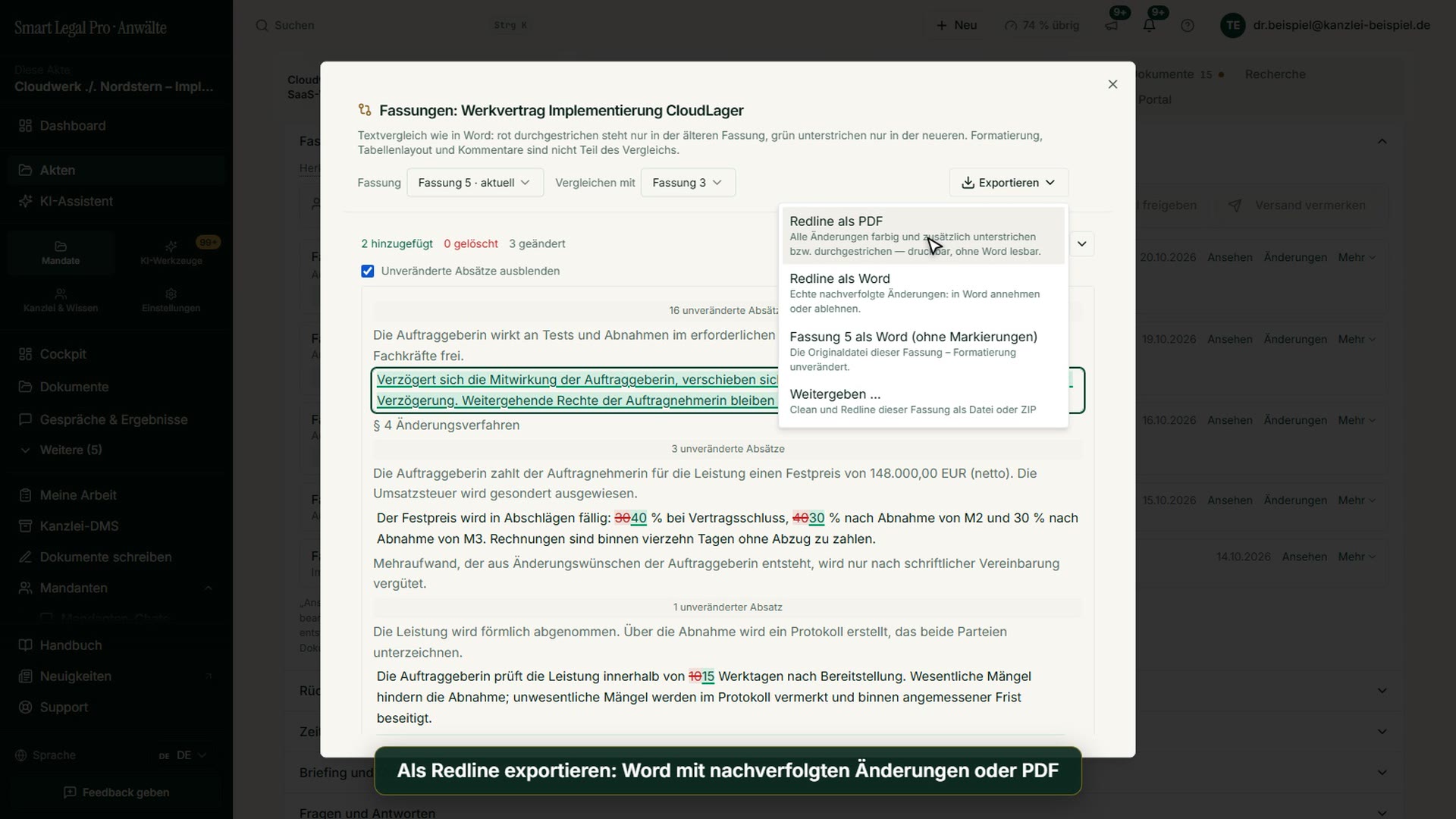 1:14For law firmsContract with redline: compare versions and hand them over


More images: Client portal →More images: Pleadings & editor →Videos →Screenshots →

